
How to Build a YouTube Content Planning Agent with BrightBean + LangChain
Build a YouTube content planning AI agent using BrightBean and LangChain that finds content gaps, scores titles, and creates a 4-week content calendar.
On this page
How to Build a YouTube Content Planning Agent with BrightBean + LangChain
Most YouTube creators spend 3-5 hours per week just on research. Browsing competitor channels, brainstorming titles, wondering what topics are underserved. An AI agent can do all of that in 30 seconds.
In this tutorial, we’ll build a YouTube content planning agent that finds content gaps in any niche using real supply-and-demand data, generates and scores title candidates for each opportunity, and assembles a 4-week content calendar with optimized titles and strategic notes.
We’ll use BrightBean as the intelligence layer (the data) and LangChain as the orchestration framework (the brain).
By the end, you’ll have a working Python agent you can run for any YouTube niche.
What We’re Building
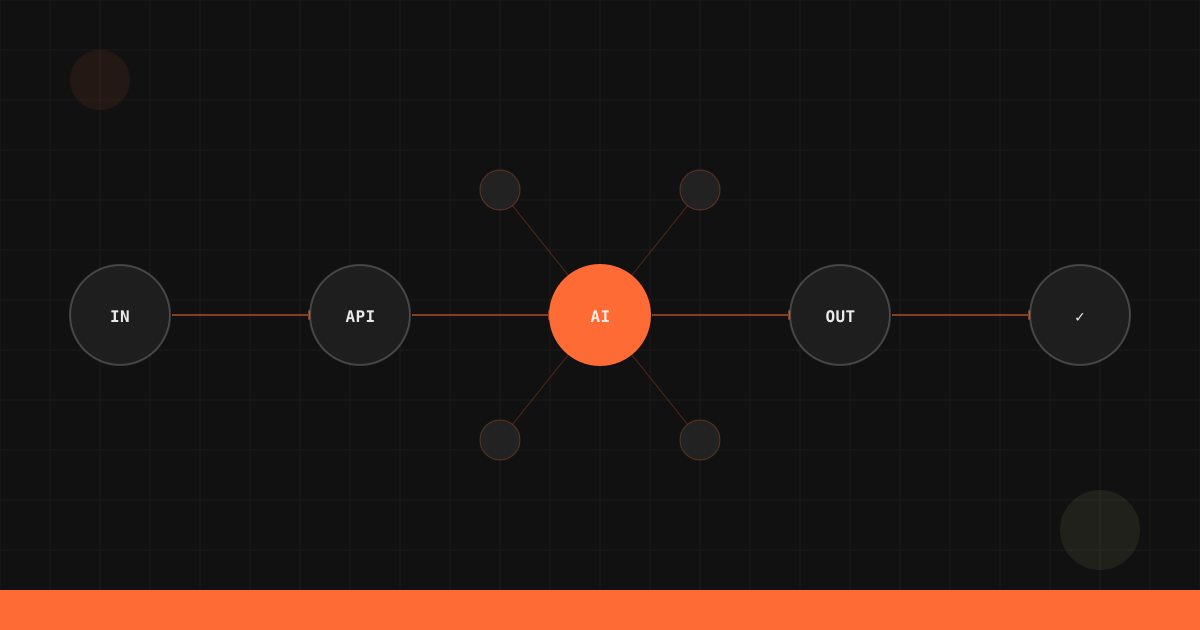
Here’s the architecture:
User Input (niche + channel context)
        │
        ▼
┌─────────────────┐
│  LangChain Agent │
│  (GPT-4 / Claude)│
└────────┬────────┘
         │
    Uses 3 tools:
         │
    ┌────┼────────────────┐
    ▼    ▼                ▼
 /v1/research/  /v1/score/     LLM reasoning
 content-gaps   packaging
 (find topics)   (rank titles)  (build calendar)
The agent thinks in steps: First it discovers opportunities, then it crafts titles for the best ones, scores those titles, and finally assembles everything into a publishable content calendar.
Prerequisites
- Python 3.10+
- BrightBean API key, get one free (350 credits, no credit card)
- OpenAI API key (or any LangChain-compatible LLM)
- Basic familiarity with Python and REST APIs
Install the dependencies:
pip install langchain langchain-openai httpx python-dotenvCreate a .env file:
BRIGHTBEAN_API_KEY=bb_your-key-here
OPENAI_API_KEY=sk-your-key-here
Step 1: Set Up BrightBean as LangChain Tools
LangChain tools are just Python functions with descriptions. The LLM reads the description to decide when and how to call each tool.
We’ll wrap two BrightBean endpoints (/v1/research/content-gaps and /v1/score/packaging) as tools.
import httpx
import json
from langchain.tools import tool
from dotenv import load_dotenv
import os

load_dotenv()

BRIGHTBEAN_BASE = "https://api.brightbean.xyz/v1"
HEADERS = {
    "Authorization": f"Bearer {os.getenv('BRIGHTBEAN_API_KEY')}",
    "Content-Type": "application/json",
}


@tool
def find_content_gaps(niche: str, limit: int = 10) -> str:
    """Find underserved content opportunities in a YouTube niche.

    Args:
        niche: The YouTube niche to analyze (e.g. "home fitness", "python tutorials")
        limit: Number of content gaps to return (default 10)

    Returns:
        JSON array of content gaps with demand_score, supply_gap, and opportunity_rating.
    """
    response = httpx.get(
        f"{BRIGHTBEAN_BASE}/research/content-gaps",
        headers=HEADERS,
        params={"niche": niche, "limit": limit},
    )
    response.raise_for_status()
    return json.dumps(response.json(), indent=2)


@tool
def score_title(title: str) -> str:
    """Score a YouTube video title for predicted click-through performance.

    Args:
        title: The video title to score

    Returns:
        JSON with overall score, percentile, subscores, and improvement suggestions.
    """
    response = httpx.post(
        f"{BRIGHTBEAN_BASE}/score/packaging",
        headers=HEADERS,
        json={"title": title},
    )
    response.raise_for_status()
    return json.dumps(response.json(), indent=2)
A few things to note:
- Docstrings matter. LangChain sends them to the LLM, so be precise about what each tool does and what it returns.
- We return JSON strings so the LLM can parse and reason over structured data.
- Error handling is minimal here for clarity. In production, wrap these in try/except blocks and return user-friendly error messages.
Step 2: Define the Agent’s Prompt and Tools
Now we configure the LangChain agent with a system prompt that tells it how to think and what workflow to follow.
from langchain_openai import ChatOpenAI
from langchain.agents import AgentExecutor, create_openai_tools_agent
from langchain_core.prompts import ChatPromptTemplate, MessagesPlaceholder

# Define the system prompt
system_prompt = """You are a YouTube content strategist agent. Your job is to create
a data-backed 4-week content calendar for a YouTube channel.

Follow this workflow:
1. Use find_content_gaps to discover underserved topics in the user's niche
2. For each top opportunity, generate 3 title candidates
3. Use score_title to score each candidate
4. Pick the highest-scoring title for each topic
5. Arrange the best topics into a 4-week calendar (2 videos per week)
6. For each video, include: title, target keyword, content angle, and why it's an opportunity

Be specific and actionable. Use the data from BrightBean to justify your recommendations.
"""

prompt = ChatPromptTemplate.from_messages([
    ("system", system_prompt),
    ("human", "{input}"),
    MessagesPlaceholder(variable_name="agent_scratchpad"),
])

# Initialize the LLM
llm = ChatOpenAI(model="gpt-4o", temperature=0.3)

# Create the agent
tools = [find_content_gaps, score_title]
agent = create_openai_tools_agent(llm, tools, prompt)
agent_executor = AgentExecutor(agent=agent, tools=tools, verbose=True)
Setting verbose=True lets you watch the agent’s reasoning in real time, which is invaluable for debugging and understanding the workflow.
Step 3: Find Content Gaps in a Niche
Let’s test the content gaps tool standalone before running the full agent:
# Test the tool directly
gaps = find_content_gaps.invoke({"niche": "home fitness", "limit": 5})
print(gaps)
BrightBean returns structured intelligence like this:
{
  "niche": "home fitness",
  "gaps": [
    {
      "topic": "resistance band back workouts",
      "demand_score": 82,
      "supply_gap": 0.73,
      "opportunity_rating": "high",
      "search_volume_trend": "rising",
      "existing_videos_quality": "low",
      "suggested_angle": "Complete back workout using only resistance bands, targeting people without gym access"
    },
    {
      "topic": "morning stretching routine for office workers",
      "demand_score": 76,
      "supply_gap": 0.65,
      "opportunity_rating": "high",
      "search_volume_trend": "stable",
      "existing_videos_quality": "medium",
      "suggested_angle": "Quick 10-minute routine specifically designed for desk workers"
    }
  ]
}
The key fields:
demand_score(0-100): How much audience interest exists for this topicsupply_gap(0-1): How underserved the topic is. Higher = fewer quality videos existopportunity_rating: A combined assessment,high,medium, orlow
A topic with high demand and high supply gap is your sweet spot.
Step 4: Score and Rank Title Candidates
Once the agent identifies top opportunities, it generates title candidates and scores them:
# Test title scoring directly
result = score_title.invoke({
    "title": "5 Resistance Band Back Exercises You Can Do Anywhere",
    "niche": "home fitness"
})
print(result)
Response:
{
  "title": "5 Resistance Band Back Exercises You Can Do Anywhere",
  "overall_score": 74,
  "subscores": {
    "clarity": 88,
    "curiosity": 62,
    "keyword_strength": 79,
    "emotional_pull": 55,
    "click_probability": 71
  },
  "suggestions": [
    "Add a benefit or result to increase emotional pull",
    "Consider a curiosity element, what's unexpected about these exercises?"
  ],
  "improved_titles": [
    "5 Resistance Band Back Exercises That Replace the Gym",
    "I Trained My Back With Only Resistance Bands for 30 Days"
  ]
}
The subscores tell you why a title works or doesn’t: Clarity measures whether viewers immediately understand the video’s value. Curiosity shows whether it creates an information gap that compels a click. Keyword strength reflects how well it matches actual search terms. Emotional pull captures whether it triggers a response. Click probability is the combined prediction of click-through rate.
Step 5: Run the Full Agent
Now let’s run the complete workflow:
result = agent_executor.invoke({
    "input": """Create a 4-week content calendar for a home fitness YouTube channel.
    The channel focuses on no-equipment and minimal-equipment workouts
    for people who don't have gym access. Current subscriber count: 12,000."""
})

print(result["output"])
The agent will:
- Call
find_content_gapswith “home fitness” and related terms - Review the opportunities and select the top 8 (for 4 weeks x 2 videos)
- Generate 3 title candidates per opportunity
- Call
score_titlefor each candidate (24 total calls) - Select the highest-scoring title for each slot
- Output a structured calendar
Here’s what the output looks like:
## 4-Week Content Calendar: Home Fitness Channel

### Week 1
**Video 1 (Monday)**
- Title: "5 Resistance Band Back Exercises That Replace the Gym" (Score: 81)
- Target keyword: resistance band back workout
- Angle: Position as gym-alternative content. Show side-by-side with cable exercises.
- Why now: Supply gap of 0.73, rising demand, few quality videos exist.

**Video 2 (Thursday)**
- Title: "The 10-Minute Morning Stretch That Fixed My Desk Posture" (Score: 78)
- Target keyword: morning stretching routine office workers
- Angle: Personal transformation story format. Show before/after posture.
- Why now: Stable demand, existing content is generic and not targeting desk workers.

### Week 2
...
Each recommendation is backed by data, not gut feeling.
Full Working Code
Here’s the complete agent in a single file:
"""
YouTube Content Planning Agent
Uses BrightBean for intelligence + LangChain for orchestration.
"""

import httpx
import json
import os
from dotenv import load_dotenv

from langchain.tools import tool
from langchain_openai import ChatOpenAI
from langchain.agents import AgentExecutor, create_openai_tools_agent
from langchain_core.prompts import ChatPromptTemplate, MessagesPlaceholder

load_dotenv()

# --- Configuration ---
BRIGHTBEAN_BASE = "https://api.brightbean.xyz/v1"
HEADERS = {
    "Authorization": f"Bearer {os.getenv('BRIGHTBEAN_API_KEY')}",
    "Content-Type": "application/json",
}


# --- BrightBean Tools ---
@tool
def find_content_gaps(niche: str, limit: int = 10) -> str:
    """Find underserved content opportunities in a YouTube niche.

    Args:
        niche: The YouTube niche to analyze (e.g. "home fitness", "python tutorials")
        limit: Number of content gaps to return (default 10)

    Returns:
        JSON array of content gaps with demand_score, supply_gap, and opportunity_rating.
    """
    response = httpx.get(
        f"{BRIGHTBEAN_BASE}/research/content-gaps",
        headers=HEADERS,
        params={"niche": niche, "limit": limit},
    )
    response.raise_for_status()
    return json.dumps(response.json(), indent=2)


@tool
def score_title(title: str) -> str:
    """Score a YouTube video title for predicted click-through performance.

    Args:
        title: The video title to score

    Returns:
        JSON with overall score, percentile, subscores, and improvement suggestions.
    """
    response = httpx.post(
        f"{BRIGHTBEAN_BASE}/score/packaging",
        headers=HEADERS,
        json={"title": title},
    )
    response.raise_for_status()
    return json.dumps(response.json(), indent=2)


# --- Agent Setup ---
system_prompt = """You are a YouTube content strategist agent. Your job is to create
a data-backed 4-week content calendar for a YouTube channel.

Follow this workflow:
1. Use find_content_gaps to discover underserved topics in the user's niche
2. For each top opportunity, generate 3 title candidates
3. Use score_title to score each candidate
4. Pick the highest-scoring title for each topic
5. Arrange the best topics into a 4-week calendar (2 videos per week)
6. For each video, include: title, target keyword, content angle, and why it's an opportunity

Be specific and actionable. Use the data from BrightBean to justify your recommendations."""

prompt = ChatPromptTemplate.from_messages([
    ("system", system_prompt),
    ("human", "{input}"),
    MessagesPlaceholder(variable_name="agent_scratchpad"),
])

llm = ChatOpenAI(model="gpt-4o", temperature=0.3)
tools = [find_content_gaps, score_title]
agent = create_openai_tools_agent(llm, tools, prompt)
agent_executor = AgentExecutor(agent=agent, tools=tools, verbose=True)


# --- Run ---
def create_content_calendar(niche_description: str) -> str:
    """Generate a 4-week content calendar for a given niche."""
    result = agent_executor.invoke({"input": niche_description})
    return result["output"]


if __name__ == "__main__":
    calendar = create_content_calendar(
        "Create a 4-week content calendar for a home fitness YouTube channel. "
        "The channel focuses on no-equipment and minimal-equipment workouts "
        "for people who don't have gym access. Current subscriber count: 12,000."
    )
    print(calendar)
Save this as youtube_agent.py, fill in your .env keys, and run:
python youtube_agent.pyExtending the Agent
This base agent handles research and planning. Here are natural extensions:
Add Hook Analysis
Wrap the /v1/score/video-hook endpoint as another tool so the agent can score the opening of a video URL:
@tool
def score_video_hook(youtube_url: str) -> str:
    """Score the opening of a YouTube video for retention potential.

    Args:
        youtube_url: Public YouTube URL (watch, youtu.be, /shorts/, or /embed/)

    Returns:
        JSON with archetypes, dimension scores, transcript, and suggestions.
    """
    response = httpx.post(
        f"{BRIGHTBEAN_BASE}/score/video-hook",
        headers=HEADERS,
        json={"youtube_url": youtube_url},
    )
    response.raise_for_status()
    return json.dumps(response.json(), indent=2)
Add Thumbnail Scoring
Pass a thumbnail_url to /v1/score/packaging so the agent can evaluate thumbnail concepts before you design them.
Add Competitive Benchmarking
Use /v1/benchmark/channel or /v1/benchmark/video to ground the agent’s recommendations in how a channel or video compares to its niche.
Swap the LLM
Replace OpenAI with Claude for potentially better reasoning on complex content strategy:
from langchain_anthropic import ChatAnthropic

llm = ChatAnthropic(model="claude-sonnet-4-20250514", temperature=0.3)
Next Steps
- How to Run a YouTube Content Gap Analysis, Deep dive into the
/v1/research/content-gapsendpoint - 12 YouTube Title Formulas That Actually Work, Data-backed title patterns to feed your agent
- Connect BrightBean to Claude Desktop via MCP, Use BrightBean without writing any code
- How to Automate YouTube Competitor Monitoring, Build always-on competitive intelligence
Get your free BrightBean API key, 350 credits, no credit card required. Start building your YouTube content agent today at brightbean.xyz.