
YouTube Data API vs YouTube Intelligence API — What's the Difference?
Compare the YouTube Data API with BrightBean's Intelligence API. See side-by-side examples of the same questions answered with raw data vs structured intelligence.
On this page
YouTube Data API vs YouTube Intelligence API — What’s the Difference?
If you’re building software that touches YouTube, you’ll encounter two types of APIs:
- YouTube Data API (by Google): Returns raw data about videos, channels, playlists, and comments
- YouTube Intelligence API (BrightBean): Returns scores, predictions, gaps, and recommendations
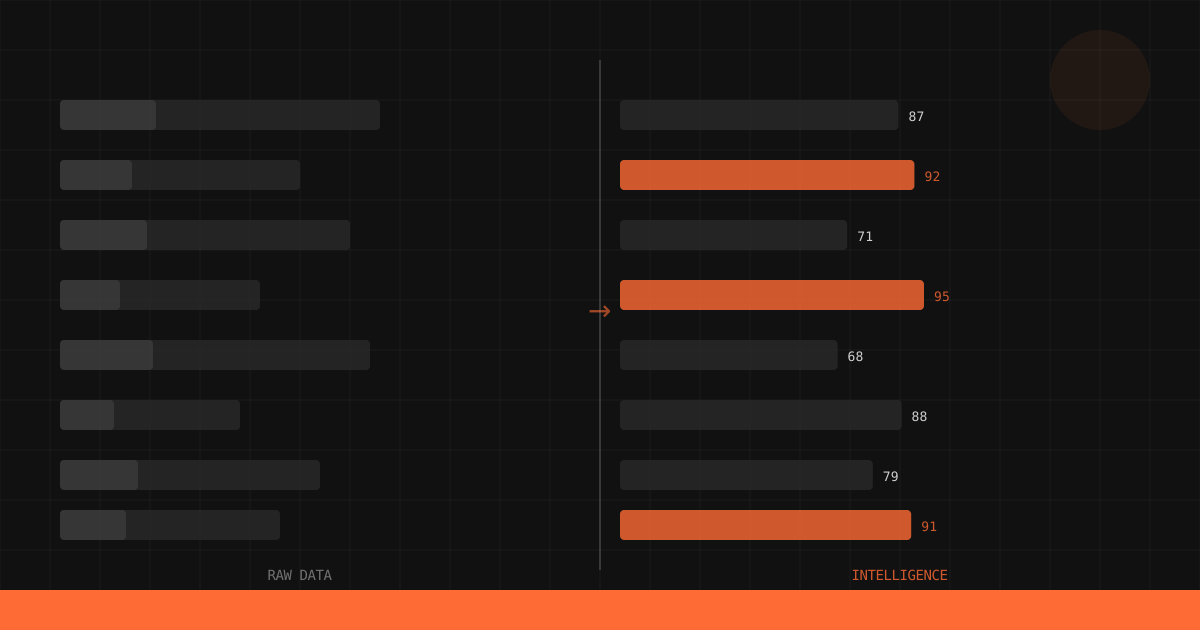
They look similar at first glance. Both give you YouTube data via HTTP endpoints. But they serve fundamentally different purposes. Once you see the difference in practice, you can’t unsee it.
The comparisons below show exactly what that looks like.
The Core Difference
YouTube Data API answers: “What exists?”
- What videos are on this channel?
- How many views does this video have?
- What comments are on this video?
BrightBean answers: “What should I do?”
- What content should I make next?
- Is this title good enough?
- How does my channel compare to competitors?
One gives you ingredients. The other gives you the recipe.
Side-by-Side: Same Question, Different Answers
Question 1: “What should I make next?”
YouTube Data API:
The Data API has no endpoint for content recommendations. You’d need to:
- Search for videos in your niche (
search.list, 100 quota units per call) - Fetch statistics for each result (
videos.list, 1 unit per call) - Build your own analysis pipeline to identify gaps
- Train or build a model to rank opportunities
# YouTube Data API — just getting raw search results
from googleapiclient.discovery import build

youtube = build("youtube", "v3", developerKey="YOUR_GOOGLE_API_KEY")

# Step 1: Search for videos (100 quota units)
request = youtube.search().list(
    part="snippet",
    q="home fitness resistance bands",
    type="video",
    maxResults=50,
    order="viewCount"
)
response = request.execute()

# Step 2: Get view counts for each (1 unit × 50 = 50 units)
video_ids = [item["id"]["videoId"] for item in response["items"]]
stats_request = youtube.videos().list(
    part="statistics",
    id=",".join(video_ids)
)
stats = stats_request.execute()

# Step 3-4: You're on your own.
# Build gap analysis logic, scoring models, opportunity ranking...
# This is weeks of engineering work.
Total cost: 150 quota units + weeks of custom engineering. What you get: A list of existing videos with view counts.
BrightBean:
import httpx

response = httpx.post(
    "https://api.brightbean.xyz/v1/content-gaps",
    headers={
        "Authorization": "Bearer bb-YOUR_API_KEY",
        "Content-Type": "application/json"
    },
    json={"niche": "home fitness", "limit": 10}
)

gaps = response.json()
Total cost: 1 API call. What you get: A ranked list of content opportunities with demand scores, supply gaps, suggested angles, and related queries.
The Data API tells you what already exists. BrightBean tells you what’s missing.
Question 2: “Is this title good?”
YouTube Data API:
There’s no title scoring endpoint. The Data API can tell you what titles exist, but it can’t evaluate a title you haven’t published yet.
Your options:
- Search for similar titles and compare their view counts (unreliable, since views depend on many factors beyond titles)
- Build your own NLP model trained on title-performance correlations (months of work)
- Guess
BrightBean:
response = httpx.post(
    "https://api.brightbean.xyz/v1/score/title",
    headers={
        "Authorization": "Bearer bb-YOUR_API_KEY",
        "Content-Type": "application/json"
    },
    json={
        "title": "5 Resistance Band Back Exercises That Replace the Gym",
        "niche": "home fitness"
    }
)

result = response.json()
# {
#   "overall_score": 81,
#   "subscores": {
#     "clarity": 88,
#     "curiosity": 72,
#     "keyword_strength": 79,
#     "emotional_pull": 68,
#     "click_probability": 78
#   },
#   "suggestions": ["Consider adding a transformation element..."],
#   "improved_titles": ["5 Resistance Band Exercises That Made Me Cancel My Gym Membership"]
# }
Total cost: 1 API call What you get: Score, subscores, improvement suggestions, and alternative titles
Question 3: “How’s my channel performing?”
YouTube Data API:
# Get channel statistics (3 quota units)
request = youtube.channels().list(
    part="statistics",
    id="YOUR_CHANNEL_ID"
)
response = request.execute()

stats = response["items"][0]["statistics"]
# {
#   "viewCount": "2450000",
#   "subscriberCount": "18200",
#   "videoCount": "142"
# }
You get raw numbers. But what do they mean? Is 18,200 subscribers good for your niche? Is your view-to-subscriber ratio healthy? Are you growing faster or slower than comparable channels?
The Data API can’t tell you.
BrightBean:
response = httpx.post(
    "https://api.brightbean.xyz/v1/benchmark",
    headers={
        "Authorization": "Bearer bb-YOUR_API_KEY",
        "Content-Type": "application/json"
    },
    json={"channel": "@YourChannel", "period": "30d"}
)

benchmark = response.json()
# {
#   "niche_percentiles": {
#     "views": 72,
#     "engagement": 81,
#     "upload_frequency": 55,
#     "growth_rate": 68
#   },
#   "metrics": {
#     "avg_views": 15000,
#     "avg_engagement_rate": 0.062,
#     "subscriber_growth": 850
#   }
# }
Now you know: You’re at the 72nd percentile for views (good, not great), 81st for engagement (strong), and 55th for upload frequency (below average, so you could post more). These are contextual metrics that tell you where to focus.
Question 4: “How’s my video hook performing?”
YouTube Data API:
The Data API provides no retention data, no hook analysis, and no transcript classification. You’d need the YouTube Analytics API (different API, requires OAuth from the channel owner) to get retention curves. Even then, you’d get raw retention percentages with no analysis of why viewers stayed or left.
BrightBean:
response = httpx.post(
    "https://api.brightbean.xyz/v1/analyze/hook",
    headers={
        "Authorization": "Bearer bb-YOUR_API_KEY",
        "Content-Type": "application/json"
    },
    json={
        "hook_text": "Last month I spent $400 on takeout. This month I spent $45 on groceries and ate better than ever.",
        "niche": "cooking"
    }
)

# {
#   "hook_type": "result_first",
#   "secondary_type": "contrarian_claim",
#   "retention_score": 82,
#   "suggestions": ["Strong value contrast", "Consider adding a visual element"]
# }
Immediate classification and scoring, with actionable improvement suggestions.
The Comparison Table
| Capability | YouTube Data API | BrightBean |
|---|---|---|
| Video metadata (title, description, tags) | Yes | No |
| View counts, likes, comments | Yes | Via /benchmark |
| Channel statistics | Yes | Via /benchmark |
| Comment threads | Yes | No |
| Playlist management | Yes | No |
| Content gap analysis | No | Yes — /content-gaps |
| Title scoring | No | Yes — /score/title |
| Thumbnail scoring | No | Yes — /score/thumbnail |
| Hook analysis | No | Yes — /analyze/hook |
| Channel benchmarking | No | Yes — /benchmark |
| Niche percentile rankings | No | Yes — /benchmark |
| Content recommendations | No | Yes — /content-gaps |
| Authentication | OAuth 2.0 / API key | API key |
| Quota system | Daily units (complex) | Monthly calls (simple) |
| Setup complexity | Google Cloud project, OAuth consent screen, API key creation | Sign up, get key |
When to Use Each
Use the YouTube Data API when you need:
- Raw video data: Titles, descriptions, tags, thumbnails for existing videos
- Channel management: Uploading videos, managing playlists, moderating comments
- Comment analysis: Reading and responding to comments
- Search results: Finding videos by keyword
- Real-time statistics: Current view counts, subscriber counts
Use BrightBean when you need:
- Content strategy: What topics to cover, what titles to use
- Pre-publish optimization: Scoring titles, thumbnails, and hooks before publishing
- Competitive intelligence: How your channel compares to competitors
- AI agent tools: Structured endpoints for LangChain, CrewAI, or custom agents
- Workflow automation: Scheduled competitive monitoring, content planning
Use both when you need:
- Full pipeline: Data API to fetch competitor video lists → BrightBean to analyze and score them
- Upload optimization: BrightBean to score options pre-publish → Data API to upload with the winning title
- Analytics + intelligence: Data API for raw performance data → BrightBean for contextual benchmarking
Setup Comparison
YouTube Data API Setup
- Create a Google Cloud project
- Enable the YouTube Data API v3
- Configure the OAuth consent screen
- Create credentials (API key for public data, OAuth client for private data)
- Install the client library
- Handle quota management
# YouTube Data API requires Google Cloud setup
from googleapiclient.discovery import build

youtube = build("youtube", "v3", developerKey="AIza...")
BrightBean Setup
- Sign up at brightbean.xyz
- Copy your API key
# BrightBean requires one API key
import httpx

response = httpx.post(
    "https://api.brightbean.xyz/v1/content-gaps",
    headers={"Authorization": "Bearer bb-..."},
    json={"niche": "cooking"}
)
BrightBean’s setup is deliberately minimal. No cloud project, no OAuth consent screens, no credential types to choose between. One key, one header, done.
Code Comparison: Finding Content Opportunities
Here’s the same goal (“find content opportunities in the cooking niche”) implemented with each API.
YouTube Data API Approach
from googleapiclient.discovery import build
from collections import Counter

youtube = build("youtube", "v3", developerKey="YOUR_KEY")

# Search for cooking videos (100 quota units per page)
topics = ["meal prep", "air fryer", "budget cooking", "one pot meals",
          "15 minute meals", "healthy desserts", "fermentation", "sous vide"]

results = {}
for topic in topics:
    search = youtube.search().list(
        part="snippet",
        q=topic,
        type="video",
        maxResults=50,
        order="viewCount",
        publishedAfter="2025-01-01T00:00:00Z"
    ).execute()

    # Get video stats
    video_ids = [item["id"]["videoId"] for item in search["items"]]
    stats = youtube.videos().list(
        part="statistics",
        id=",".join(video_ids)
    ).execute()

    # Calculate average views
    views = [int(v["statistics"]["viewCount"]) for v in stats["items"]]
    results[topic] = {
        "video_count": len(views),
        "avg_views": sum(views) / len(views) if views else 0,
        "max_views": max(views) if views else 0
    }

# Now YOU have to figure out what this means.
# Which topics are undersaturated? Which have rising demand?
# This data doesn't tell you.

# Quota used: ~1200 units (8 searches × 100 + 8 × 50)
Result: Raw data you need to interpret yourself. No supply-demand analysis, no scoring, no recommendations. And you’ve used 12% of your daily quota.
BrightBean Approach
import httpx

response = httpx.post(
    "https://api.brightbean.xyz/v1/content-gaps",
    headers={
        "Authorization": "Bearer bb-YOUR_API_KEY",
        "Content-Type": "application/json"
    },
    json={"niche": "cooking", "limit": 15}
)

gaps = response.json()["gaps"]

for gap in gaps:
    print(f"[{gap['opportunity_rating'].upper()}] {gap['topic']}")
    print(f"  Demand: {gap['demand_score']} | Gap: {gap['supply_gap']}")
    print(f"  Trend: {gap['search_volume_trend']}")
    print(f"  Angle: {gap['suggested_angle']}")
    print()

# API calls used: 1
Result: Ranked opportunities with demand scores, supply gaps, trends, and suggested angles. Ready to act on immediately.
The Bottom Line
The YouTube Data API is essential infrastructure. If you’re building anything that reads or writes YouTube data, you need it.
But if you’re building something that makes decisions about YouTube content (what to make, how to title it, how it compares to competitors), raw data isn’t enough. You need intelligence.
That’s the gap BrightBean fills: Structured, scored, actionable YouTube intelligence, delivered as a simple API.
Related Reading
- YouTube Has 31 Million Channels. Zero Intelligence APIs. — The market context for why this gap exists
- How to Build a YouTube Content Planning Agent — Use both APIs together in an AI agent
- How to Run a YouTube Content Gap Analysis — Deep dive into BrightBean’s most popular endpoint
Get YouTube intelligence, not just YouTube data. Get your free BrightBean API key — 500 calls, no credit card required. Start building at brightbean.xyz.