
Recreate the Sliding Puzzle Game: The Prompt Behind the Reel
Recreate the sliding puzzle game from BrightBean's Instagram reel with the complete video prompt, then adapt its message for your next post.
On this page
Recreate the sliding puzzle game from BrightBean’s Instagram reel with the complete video prompt, then adapt its message for your next post.
TL;DR
- Start with the complete prompt below if you want to recreate the sliding-puzzle reel.
- It sets a 9-second 4:5 video, a centered 3 × 3 puzzle, cursor choreography, a final image reveal, and visual constraints.
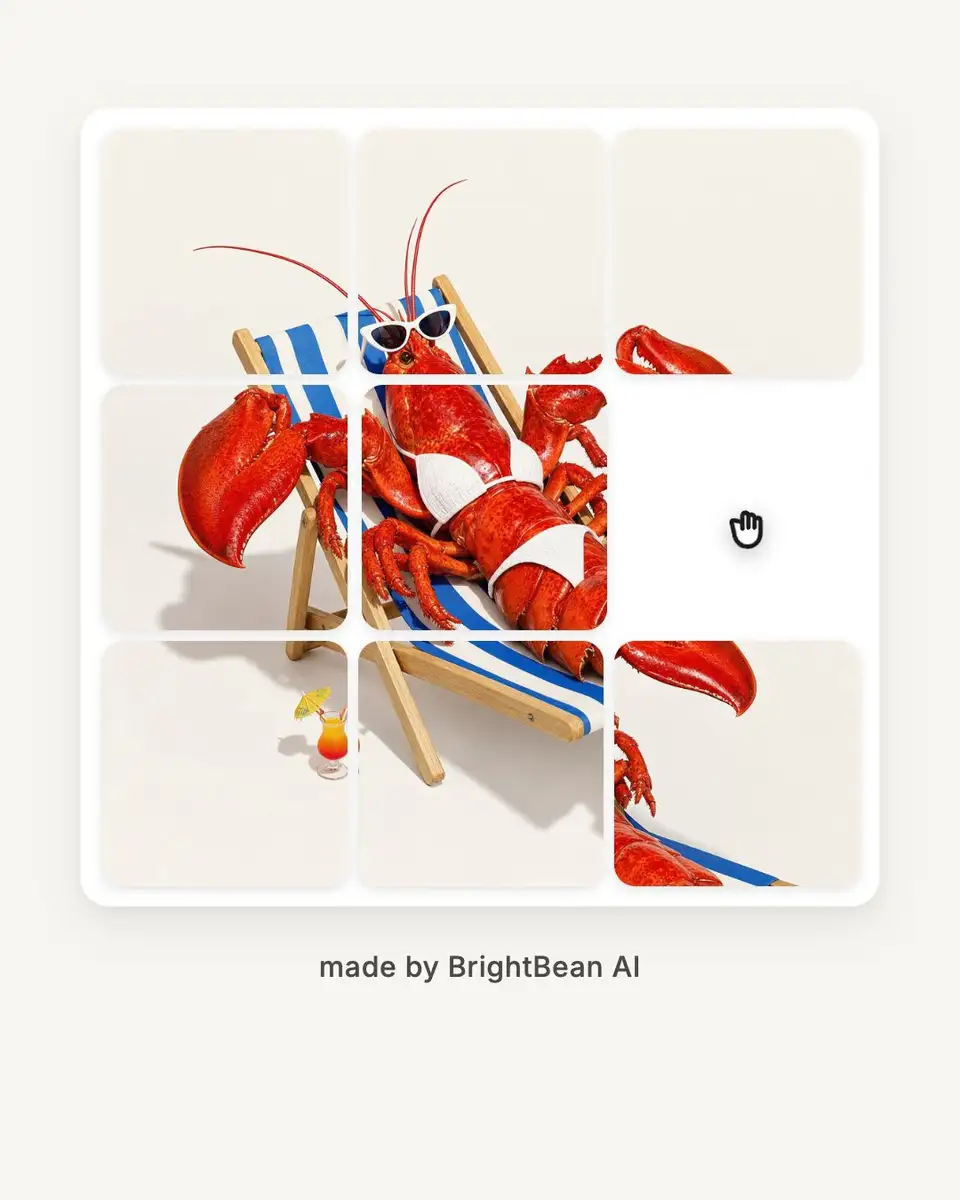
- The embedded Instagram post shows the intended result before the prompt is unpacked.
- Later sections explain what makes the prompt clear, how to write your own, and where BrightBean’s content automation can help with ideas and workflow.
The Prompt: Recreate the Sliding Puzzle Game
If you want to recreate the format, start with the prompt below. It is the concrete production brief for the 9-second sliding-puzzle video. Copy it as a starting point, then change the field IMAGE_SOURCE in the section Customizable Variables to place your own image.
Create a 9-second 4:5 Vertical Reel (1080x1350 @ 60fps) featuring a minimalist 3x3 sliding puzzle game interactive animation.

1. Visual & Physical Aesthetics:
- Centered 3x3 puzzle frame (900x900px) on a warm off-white canvas (#F8F6F0).
- 8 square tiles with 24px rounded corners, 12px white gaps, and 1 empty slot.
- Soft container elevation shadow (0 20px 50px rgba(0,0,0,0.08)) and 1px subtle border.
- Smooth tile merge on completion (gaps shrink to 0px, missing 9th tile fades in).

2. Typography & Layout:
- Centered Main Tagline: "made by BrightBean AI" (32px Medium #2C2C2C).
- Clean UI: Zero extra buttons, timers, counters, or background text clutter.

3. Interaction Choreography & Cursor Motion:
- Hand Pointer Cursor glides smoothly between tile centers (cubic-bezier ease).
- Click Tap event: Cursor scales down (0.82 scale for 8 frames) at click timestamps.
- Move 1 (t=1.2s / f72): Click Tile at (0,0) -> slides DOWN to (1,0).
- Move 2 (t=2.7s / f162): Click Tile at (0,1) -> slides LEFT to (0,0).
- Move 3 (t=4.2s / f252): Click Tile at (1,1) -> slides UP to (0,1).
- Move 4 (t=5.7s / f342): Click Tile at (1,2) -> slides LEFT to (1,1).
- Move 5 (t=7.2s / f432): Click Tile at (2,2) -> slides UP to (1,2), completing the 3x3 grid.
- Scene Completion (t=7.8s-9.0s): Seamless gapless full picture merge, holding until end.

4. Physics & Anti-Flicker:
- Tile sliding motion powered by spring physics (damping: 18, stiffness: 140).
- 100% pixel-perfect image slice retention without distortion.

Customizable Variables:
- IMAGE_SOURCE: Primary image file path or URL to slice into 3x3 sliding tiles. Default: lobster_sunbed.png
- TAGLINE_TEXT: Text displayed centered beneath the puzzle frame. "made by BrightBean AI"
- CANVAS_BG: Background color for the video composition slide. #F8F6F0
- GRID_SIZE: Layout grid dimensions and total tile count. 3x3 (8 Tiles + 1 Empty Slot)
- DURATION: Video playback duration and frame rate. 9.0s (540f @ 60fps)
The prompt is specific because the video depends on exact geometry, timed interaction, and a clean final reveal. Those choices are easier to understand when you compare them with the finished reel.
Key Takeaway: Start with the concrete production prompt, then use the finished reel to see what each instruction is meant to produce.

What the Prompt Makes Explicit
The useful part of this example is how much of the result is decided before any visual polish. The prompt gives the video model a finished asset, a subject, a sequence, and constraints to hold onto.
Start With the Finished Output
The prompt opens by fixing the asset type and its technical boundaries: A 9-second vertical reel, a 4:5 frame, a 1080 × 1350 output, and a 60 fps timeline. Those details are not decoration. They define the space in which every visual decision has to fit.
| Output detail | Value in the example | Why it helps |
|---|---|---|
| Duration | 9.0 seconds | Gives the action a beginning, middle, and completion point |
| Frame rate | 60 fps | Makes the timeline precise enough to place cursor taps and tile movement |
| Canvas | 1080 × 1350 | Matches the requested 4:5 vertical composition |
| Main object | 900 × 900 puzzle frame | Leaves a controlled margin for the canvas and tagline |
| Grid | 3 × 3, with 8 tiles and 1 empty slot | Defines the game logic and the final reveal |
A vague instruction such as “make it vertical” would leave the composition open. A usable brief gives the system the dimensions and the relationship between the main object and the surrounding space.
Read the Choreography as a Storyboard
The prompt then turns the interaction into a timed sequence. Each move has a starting location, a direction, and a timestamp. That is much easier to follow than “animate the puzzle solving itself.”
| Move | Time | Frame at 60 fps | Action | Viewer-facing result |
|---|---|---|---|---|
| 1 | 1.2 seconds | 72 | Click the tile at (0,0); slide it down to (1,0) | The puzzle begins to solve |
| 2 | 2.7 seconds | 162 | Click the tile at (0,1); slide it left to (0,0) | The next opening is used |
| 3 | 4.2 seconds | 252 | Click the tile at (1,1); slide it up to (0,1) | The center movement becomes visible |
| 4 | 5.7 seconds | 342 | Click the tile at (1,2); slide it left to (1,1) | The final row starts to align |
| 5 | 7.2 seconds | 432 | Click the tile at (2,2); slide it up to (1,2) | The 3 × 3 grid is complete |
| Completion | 7.8–9.0 seconds | 468–540 | Merge the gaps and reveal the full image | The result holds long enough to read |
The timing also gives you a worked example of how to plan motion. Nine seconds at 60 frames per second equals 540 frames. The five taps are spaced 90 frames, or 1.5 seconds, apart, which creates a steady rhythm before the final 1.2-second hold.
Separate the Format From the Message
The sliding-puzzle interaction is the format. The source image and tagline carry the message for a particular post. If you recreate the idea later, you can swap the image, on-screen line, background, or duration while keeping the puzzle mechanics as the recognizable container.
A useful recreation test is simple: Can someone replace the image and the on-screen line without touching the interaction logic? In this example, the answer is yes. The puzzle remains the recognizable format, while the visual source and message can respond to a different campaign or idea.
Key Takeaway: The Instagram reel is the output. The prompt is the production map that makes its dimensions, motion, timing, and changeable inputs visible.
What Is a Video Prompt?
Once you have seen a concrete prompt and its output, the broader definition is straightforward. A request such as “make a cool product reel” leaves too many decisions open. The video model still has to choose the format, subject, pace, movement, text, ending, and visual rules.
A prompt is a production brief written for a generative system. It describes the intended output, the important ingredients, the action that should happen, and the constraints that keep the result recognizable. It does not remove interpretation from the process. It gives interpretation a smaller, more useful space.
A Prompt Is a Specification
The most useful question is not “How do I find the magic wording?” It is “What would a person need to know to make this without guessing?” That shift turns prompting into a practical act of communication.
A strong prompt usually does five jobs:
- It names the finished asset, such as a 4:5 vertical reel that lasts 9 seconds.
- It identifies the subject and the visual arrangement, such as a centered 3 × 3 sliding puzzle.
- It describes the action in an order the viewer can follow.
- It states the rules that must remain stable, such as clean typography, no extra controls, or undistorted image slices.
- It marks the parts that should be easy to change next time, such as the source image or tagline.
A well-structured prompt is useful beyond one attempt because its fixed rules and changeable inputs are visible. That makes the next recreation easier to plan and gives you a clear place to make edits.
The Five Decisions a Video Prompt Must Settle
Use this table as a first check before writing the prose of a prompt.
| Layer | Question to answer | Example from the sliding-puzzle prompt |
|---|---|---|
| Output | What asset should exist at the end? | A 9-second, 4:5 vertical reel at 1080 × 1350 and 60 fps |
| Subject | What is the viewer looking at? | A minimalist 3 × 3 sliding puzzle with eight tiles and one empty slot |
| Choreography | What happens, and in what order? | Five cursor-guided tile moves, followed by a gapless image reveal |
| Constraints | What must stay clean or consistent? | A warm off-white canvas, rounded tiles, no extra buttons, and no image distortion |
| Changeable inputs | What can change for the next post? | The source image, tagline, canvas background, grid size, and duration |
The first three layers tell the system what to create. The fourth protects the idea from visual drift. The fifth gives you a named place for the choices that belong to a new post.
Fixed Rules and Changeable Inputs
A prompt is easier to adapt when the boundary between fixed and variable is obvious. If every detail is mixed into one paragraph, the next person has to search through it to find what can safely change. If the variables are labeled, the prompt becomes a small creative system.
For the puzzle example, the interaction pattern can stay fixed while the image changes from a lobster on a sunbed to a product still, an illustration, or a brand mark. The same structure can also hold a different tagline or duration without requiring the whole prompt to be rewritten.
Key Takeaway: A good video prompt describes the finished asset, the action, the guardrails, and the inputs you may want to change for the next post.
How to Write a Good Video Prompt
Start with the viewer’s experience, then work backward into the production details. A video prompt becomes easier to write when each line answers a different question instead of repeating the same mood in several forms.
Set the Frame, Subject, and Viewer Outcome
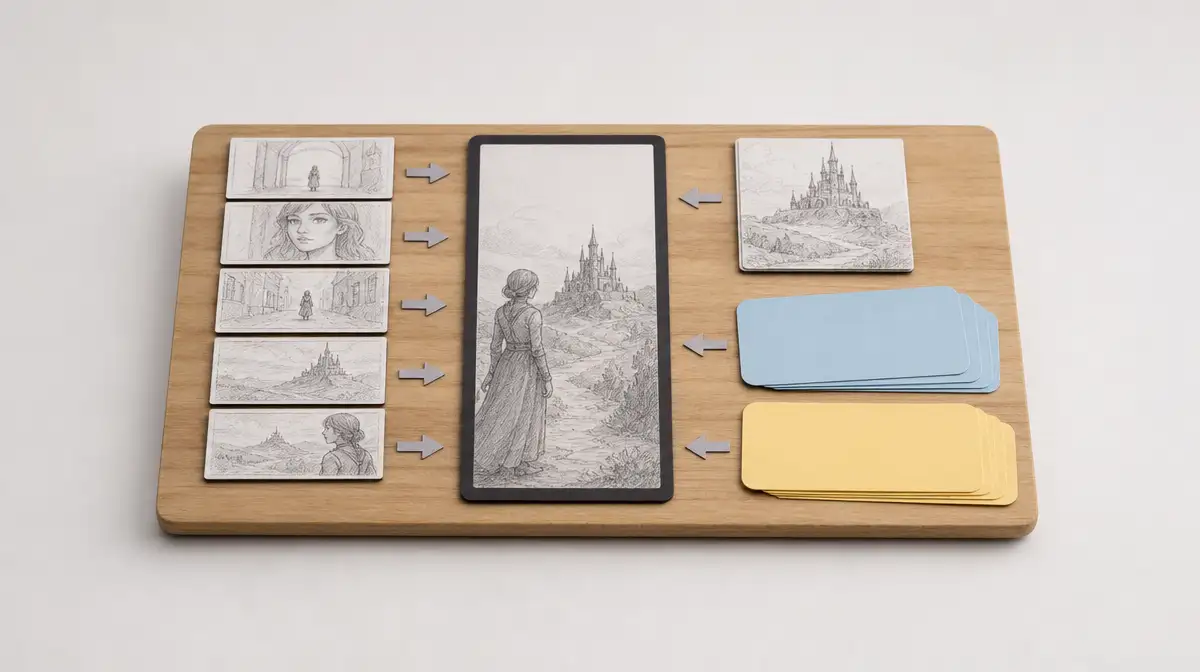
Begin with the asset type, aspect ratio, duration, and a one-sentence description of what the viewer should see. This gives the rest of the prompt a container.
Then describe the subject in spatial terms. Say where the main object sits, what surrounds it, how large it is relative to the canvas, and which elements deserve attention. “A puzzle in the center of a warm off-white canvas” is more useful than “a beautiful minimalist game.”
Finish this layer with the viewer outcome. In the example, the viewer should understand that the cursor is solving the grid and then see the image become whole. That outcome helps decide which movements deserve time and which visual details are distractions.
| Prompt question | Stronger direction | Why it matters |
|---|---|---|
| What is being made? | A 9-second vertical reel | Establishes the asset and its boundary |
| What is the subject? | A centered 3 × 3 sliding puzzle | Gives the model a concrete object and layout |
| What should the viewer understand? | The cursor solves the puzzle and reveals the full image | Gives the motion a purpose |
Convert Motion Into Beats
Motion needs verbs, order, and timing. Write the sequence as beats that could become storyboard panels: Move the cursor, tap the tile, slide it into the empty space, pause, then continue.
Use coordinates or named locations when they remove ambiguity. The sliding-puzzle prompt uses positions such as (0,0) and (1,2), then pairs each with a direction. That level of specificity matters because the empty slot changes after every move.
A timing table is often clearer than a paragraph. It also makes revision easier. If the middle of the animation feels rushed, you can change the gap between moves without rewriting the visual description.
Protect the Constraints and Name the Variables
Add the rules that protect the idea from common failure modes. In the attached prompt, those rules include rounded corners, white gaps, a subtle border, a soft shadow, spring motion, pixel-perfect image slices, and a clean layout with no extra controls or text clutter.
A constraint earns its place when a mistake would be visible or would change the meaning of the video. “No distortion” protects the image. “Zero extra buttons” protects the simple game concept. “Hold the completed image until the end” protects the payoff.
Then label the variables. The person recreating the prompt should be able to find the source image, tagline, background color, grid size, and duration quickly. A good variable list also makes review easier because every change has a named home.
Key Takeaway: Write a video prompt in layers: Frame the asset, describe the subject, choreograph the motion, protect the visible constraints, and label what can change.
A Video Prompt Template for Your Next Post
The sliding-puzzle prompt is one specific example. If you want to create a different short-form video, use this structure to define the output, subject, motion, constraints, and changeable inputs without starting from a blank page.
Copy-and-Adapt Template
Create a [DURATION]-second [ASPECT_RATIO] video at [RESOLUTION] and [FRAME_RATE] fps featuring [SUBJECT] in [SETTING OR COMPOSITION].

1. Visual and physical aesthetics:
- [Describe the main object, its size, placement, materials, shape, and surface details.]
- [Set the background, spacing, colors, borders, shadows, and other visual rules.]
- [Describe how the visual state changes at the end.]

2. Typography and layout:
- Main text: [TEXT OR NONE]
- Placement: [POSITION]
- Type treatment: [SIZE, WEIGHT, COLOR, OR STYLE]
- Keep the composition free of: [UNWANTED CONTROLS, TEXT, OR CLUTTER]

3. Interaction and motion choreography:
- Beat 1 at [TIME OR FRAME]: [ACTION] and [VISIBLE RESULT].
- Beat 2 at [TIME OR FRAME]: [ACTION] and [VISIBLE RESULT].
- Beat 3 at [TIME OR FRAME]: [ACTION] and [VISIBLE RESULT].
- Completion from [START] to [END]: [FINAL TRANSFORMATION OR HOLD].

4. Physics and consistency:
- Motion behavior: [SPRING, LINEAR, EASED, OR OTHER RULE]
- Timing or physics values: [VALUES IF THEY MATTER]
- Preserve: [IMAGE INTEGRITY, CHARACTER IDENTITY, OBJECT SHAPE, OR OTHER RULE]

Customizable variables:
- [VARIABLE_NAME]: [VALUE OR DESCRIPTION]
- [VARIABLE_NAME]: [VALUE OR DESCRIPTION]
- [VARIABLE_NAME]: [VALUE OR DESCRIPTION]
The labels do useful work. They tell you where to add detail, where to look when a result goes wrong, and which parts can be carried into the next concept.
Adapt the Sliding-Puzzle Format Without Losing Its Identity
When you recreate this particular idea, separate the rules that make the format recognizable from the choices that make the next post relevant.
| Keep stable when recreating the puzzle format | Change when the next video needs a new message |
|---|---|
| The 3 × 3 grid and one empty slot | The source image |
| The cursor-led sequence of moves | The tagline |
| The completion merge | The background color |
| The clean layout and no-clutter rule | The duration, when the story needs a different pace |
| The image-slice integrity rule | The grid size, when the format is deliberately redesigned |
This is the practical value of the example. You can begin with a concrete interaction and adapt the content around it, rather than trying to describe the entire idea from scratch every time.
Key Takeaway: Use the full sliding-puzzle prompt as your starting point, then change only the inputs that need to serve your next post.
Where BrightBean Fits Around a Content Workflow
A video prompt solves one production problem. A content workflow has to solve the problems before and after that prompt: Finding an idea worth making, carrying brand context into the work, adapting the finished asset, publishing it, and learning from what happened.
From a Topic to a Usable Idea
BrightBean is building an AI-native marketing setup for teams that have limited time or capacity, too many disconnected tools, or too little continuity between one AI task and the next. Its marketing Brain can retain company, audience, positioning, messaging, brand voice, visual identity, previous content, and marketing learnings for use across future work.
That context gives idea generation somewhere to start. BrightBean can generate content ideas using a user’s brand, business, goals, target audience, previously published content, and previous performance. It can also research topics, trends, audience questions, and content opportunities, then identify gaps that deserve coverage.
For a video workflow, the result could be a clearer brief before anyone writes the production prompt: Which audience is this for? What idea should the viewer remember? Is the sliding-puzzle format helping the message, or is it only adding motion? Those questions keep the format in service of the content.
From a Prompt to a Content System
Once an idea is selected, BrightBean can coordinate content creation, brand-aware adaptation, scheduling and publishing, performance analysis, and continuous optimization across social and blog workflows. It can create social posts and other marketing assets, then adapt or repurpose ideas across channels and formats: Instagram carousel, Pinterest Pin, TikTok Videos, LinkedIn post, SEO & GEO optimized blog articles, and many others.
Keep People in Control of the Result
BrightBean is described as draft- and review-led. The AI proposes content and Brain updates, while a person approves before anything is published. Users can also provide feedback through what they approve, edit, or reject, and that context can inform future marketing work.
That human step matters for prompt-based content. Someone still has to decide whether the idea is on-brand, whether the motion supports the message, whether the source image can be used, and whether the final cut deserves to be published. Automation can carry context and reduce repetitive operation. It should not hide the decisions that shape the brand.
Key Takeaway: A concrete prompt is one part of a larger system. BrightBean’s role is to connect ideas, context, creation, adaptation, publishing, and learning while people keep approval and direction.
How to Test and Adapt the Prompt
The easiest way to work with a concrete prompt is to treat each attempt as a documented experiment. Save the brief, the output, the version you changed, and the reason for the change.
Before You Write or Adapt the Prompt
Start with three decisions:
- Name the viewer and the message. What should the person understand, feel, or do after watching?
- Choose the format. Set the aspect ratio, duration, and the main visual container before adding style details.
- Separate constants from variables. Decide which parts define the format and which parts should change for each campaign.
This prevents the prompt from becoming a collection of aesthetic adjectives. Every line has a job: Define the output, guide the motion, protect an important detail, or make the next version easier to plan.
When You Test the First Version
Review the output in layers. First check the format and duration. Then check whether the main subject is clear. Next, inspect the timing, text, transitions, and any details that must remain intact.
Change one layer at a time when the output misses the brief. If you alter the composition, motion, text, and physics together, you lose the trail of evidence that would tell you what fixed the problem. A small revision history turns prompting into a learning loop.
When You Save a Version for Later
Keep the prompt beside a short note about its intended use. Record the fixed format, the variables, the output that showed the format clearly, and the known limits. In the sliding-puzzle example, the source image and tagline are easy to swap, while the grid logic and completion merge define the recognizable structure.
Use this final review table before carrying the prompt into another post.
| Review question | If the answer is yes |
|---|---|
| Can another person describe the finished asset from the prompt? | The output and subject are specific enough |
| Can the motion be followed beat by beat? | The sequence has verbs, order, and timing |
| Are the important failure modes named? | The prompt includes the right constraints |
| Can the next version be made without rewriting everything? | Fixed rules and variables are separated |
| Is there a real output to compare with the next attempt? | The prompt is connected to an example |
Key Takeaway: Save the prompt beside its example, variables, and revision notes so the next recreation begins with evidence instead of guesswork.
Sources
- BrightBean Instagram Reel: Sliding Puzzle Game: https://www.instagram.com/reel/Dck2YOMuv_H/?utm_source=ig_embed&utm_campaign=loading. The BrightBean Reel embedded in the article as the concrete example of the finished video prompt output; retrieved 2026-09-14.
- BrightBean Features: https://brightbean.xyz/features/. Official product overview covering BrightBean's brand context, content creation, planning, review, publishing, analytics, and continuous-improvement workflows; retrieved 2026-09-14.