
Reusable AI video prompt for soap bubble effects
Create a vertical AI video where soap bubbles rise from a phone screen, then adapt this reusable AI video prompt for new effects, timing, and campaigns.
On this page
Create a vertical AI video where soap bubbles rise from a phone screen, then adapt this reusable AI video prompt for new effects, timing, and campaigns.
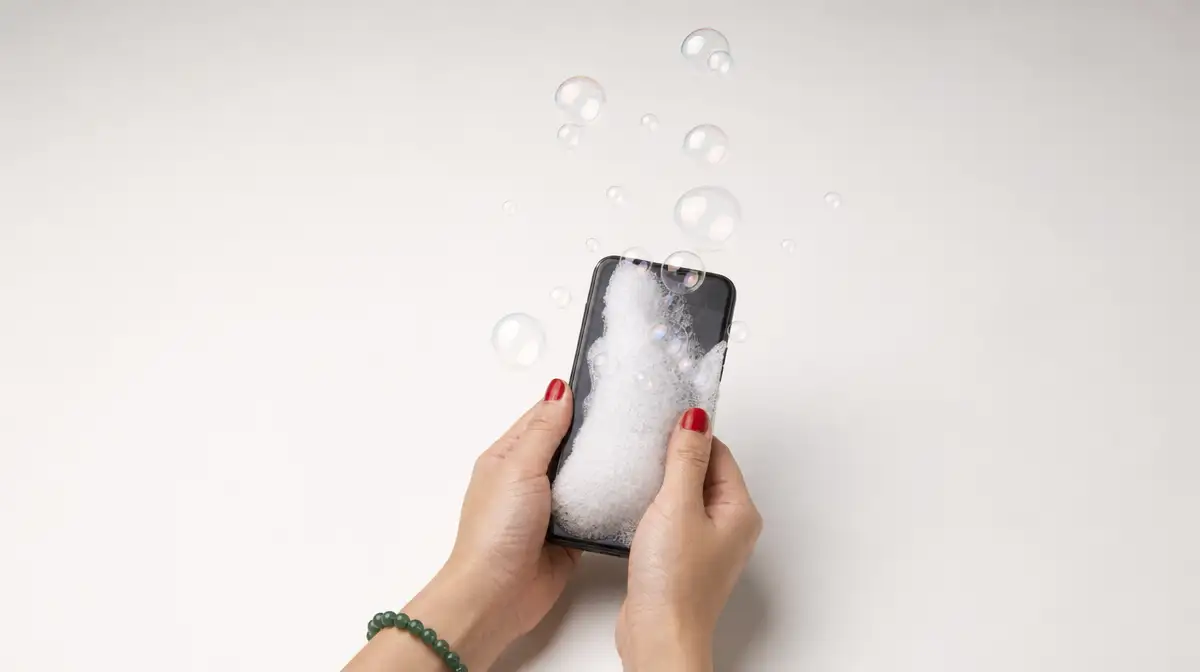
A familiar phone shot becomes more interesting when the effect has a clear physical source, a timed build, and a reason to stay in frame. This concept starts with hands typing on a black smartphone, then lets white lather swell from the screen before releasing iridescent bubbles.
The useful part is the structure. You can keep the camera, identity lock, timing, and audio spine while changing the effect and the campaign idea. Below, you will find the reference, the complete copy-and-paste prompt, a modular version, testing tips, and a short explanation of where BrightBean fits around the creative work.
TL;DR
- Start with a clean reference frame and describe the subject’s identity before describing the effect.
- Give each visual beat a time range so the model knows when the effect begins, expands, and disperses.
- Describe physical contact, continuity, and failure conditions instead of relying on adjectives such as “cinematic.”
- Change one meaningful variable per test, then save the version that gives you the clearest movement and readable final frame.
Start with the reference
The supplied reference is a vertical Instagram reel from BrightBean. Use it before generating a variation so you can judge the intended pace, framing, and transformation rather than asking the model to invent all three at once.
Watch for the hand position, the relationship between the phone and the effect, and the moment where the visual idea reaches its peak. The prompt below turns those observations into explicit instructions. That same timing-first approach appears in BrightBean’s paint-reveal AI video prompt, where the effect is tied to a physical action instead of a generic transition.
Key Takeaway: A reference frame gives the model a starting point; the prompt gives the effect a physical sequence to follow.
The ready-to-use prompt
Start with a clean first frame that already contains the hands, phone, bracelet, nail colour, and background you want to preserve. Replace input_frame.jpg with the actual image or opening frame in your workflow.
Single continuous locked shot, static close-up framing, 35mm film quality, photorealistic, ARRI ALEXA aesthetic, natural soft room lighting, sharp focus. No cuts, no zoom, no 3D, no cartoon. Keep every effect photorealistic, grounded in real materials and motion.

[reference_image: input_frame.jpg]

[identity_lock]
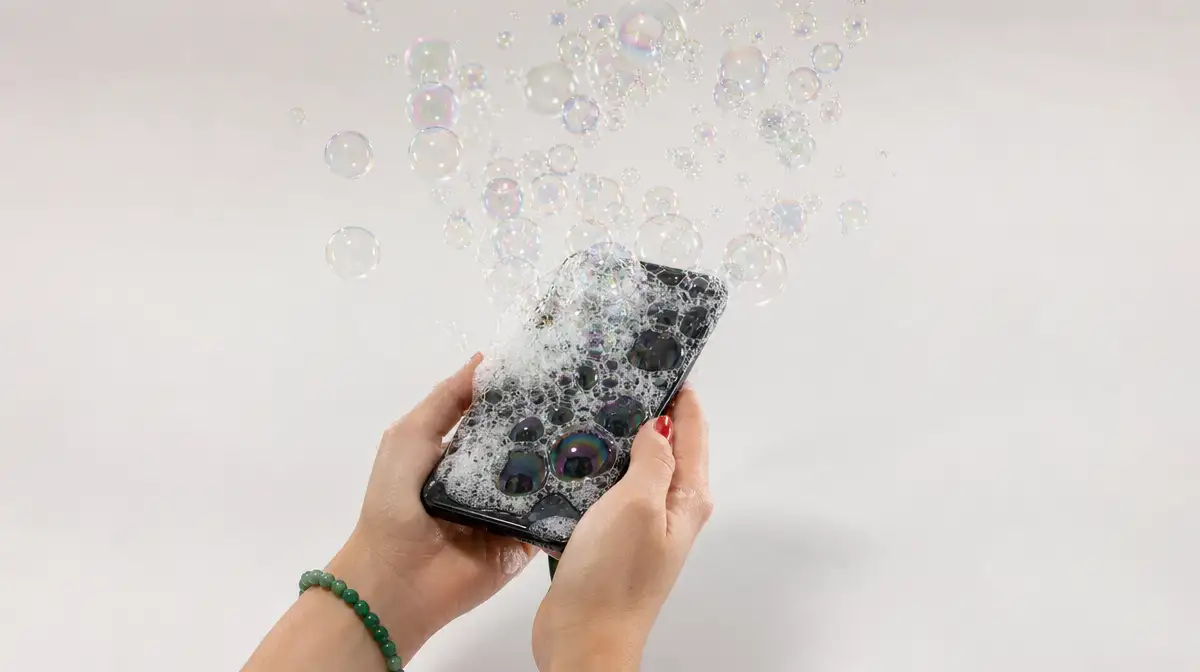
The same hands hold a black smartphone in portrait orientation against a clean off-white background. A green beaded bracelet stays on the right wrist. Red nail polish stays on both thumbs. Keep the hands consistent across all frames, with no deformation, extra fingers, hand morphing, or identity changes.

0 to 2 seconds: The hands hold the smartphone and type with their thumbs. From the screen surface, a dense, voluminous cluster of effervescent white soap foam and creamy lather begins to swell and bubble outward over the bezels.

2 to 6 seconds: An endless stream of translucent, photorealistic soap bubbles erupts from the lather and floats upward. Show thin-film iridescence with swirling rainbow interference colours, including pearlescent cyan, magenta, liquid gold, and emerald sheen. The curved soap membranes remain transparent and reflect the room's soft ambient light with clear caustic glints.

6 to 10 seconds: The bubbles drift upward and disperse outward in a wide, buoyant plume. Show natural air turbulence, surface-tension wobble, and soft depth-of-field bokeh. Several bubbles pop into faint micro-droplet mist while the thumbs continue typing naturally.

[VFX: Opulent white lather swells at the smartphone screen bezel and releases floating iridescent soap bubbles with physical thin-film rainbow sheen, transparent membranes, and delicate specular reflections.]

Audio: Subtle rhythmic phone keyboard clicks, gentle effervescent soap fizz, a faint airy whoosh from the floating bubbles, and delicate pop sound effects. Synchronize the sounds with the visible actions.
Keep the subject fixed
The opening lines establish a locked shot, then identify the details that should survive the transformation. The black phone, bracelet, nail polish, off-white background, and typing action are not decoration. They are continuity anchors. If one of them changes between frames, the effect can feel like a cut even when the prompt asks for one continuous take.
Give the effect a timeline
The prompt works because it gives the model a physical chain to follow: hands to phone, phone to lather, lather to bubbles, bubbles to mist. The three time blocks also give the clip a readable rhythm. The colour details add a visual target, while the identity lock protects the parts that should stay unchanged.
Key Takeaway: Describe where the effect comes from, how it grows, and what it does at the end. A list of visual adjectives cannot replace that sequence.
Make the prompt reusable without losing continuity
The ready-to-use version is specific on purpose. The modular version keeps the same structure while making the creative fields easy to replace.
Single continuous locked shot, static close-up framing, [QUALITY_AND_RENDER_STYLE], [LIGHTING_STYLE], sharp focus. No cuts, no zoom, no 3D, no cartoon. Keep the result photorealistic, grounded in real materials and movement.

[reference_image: [YOUR_START_IMAGE_OR_FRAME]]

[identity_lock]
[DESCRIBE_SUBJECT_AND_KEY_DETAILS]. Keep the subject consistent across all frames, with no deformation, morphing, extra limbs, or identity changes.

0 to 2 seconds: [INITIAL_ACTION_AND_EFFECT_SPAWN]. The effect begins at [EFFECT_ORIGIN] and visibly pushes outward from that source.

2 to 6 seconds: [MAIN_EFFECT_EXPANSION]. Show [EFFECT_ELEMENTS] with [PHYSICAL_PROPERTIES]. Keep the subject's original action natural and continuous.

6 to 10 seconds: [DISPERSION_AND_CLIMAX]. The effect [MOVEMENT_AND_END_STATE] while the subject continues the original action. End with a readable, coherent final frame.

[VFX: [ONE_LINE_VFX_SUMMARY]]

Audio: [SYNCHRONIZED_SFX]. Match each sound to the action on screen.
Use the brackets for the parts that should change. Keep the identity lock, effect origin, time ranges, continuity rules, and end state explicit. Those lines form the prompt’s production spine.
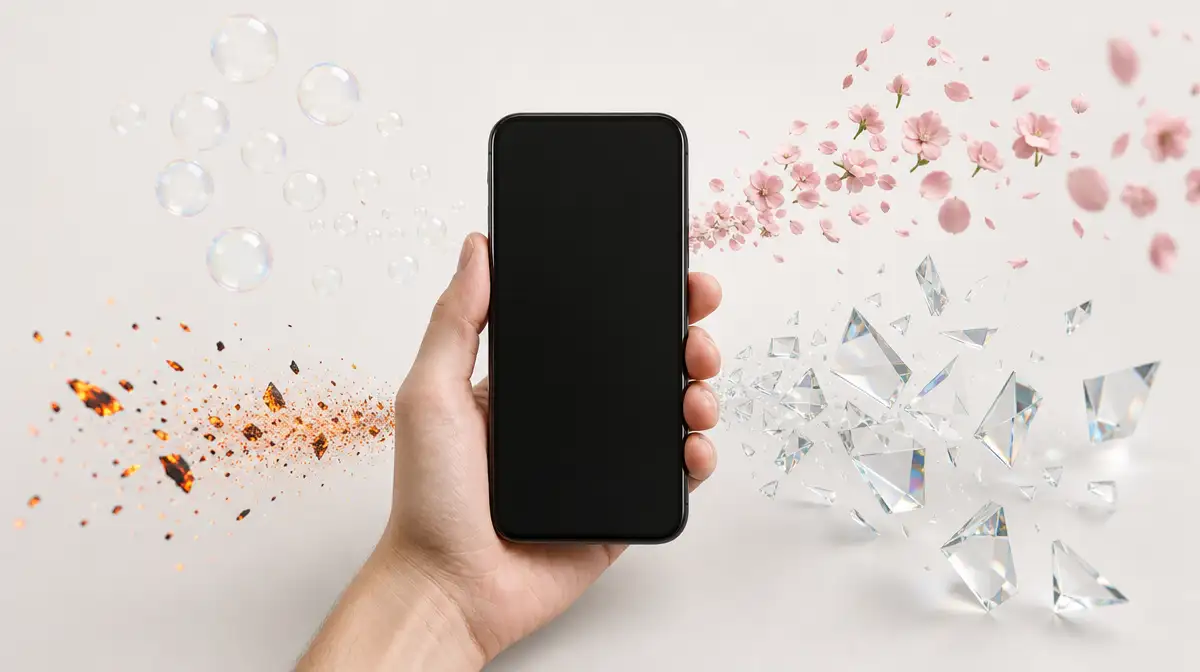
A completed variation might replace the soap effect with a floral bloom. The screen becomes the source of sprouting moss and thin vines, which release floating cherry blossom petals. Replace the thin-film rainbow description with soft organic flutter, delicate shadows, and believable movement as the petals disperse. The hands, phone, timing, and background can remain the same.
| Prompt block | What it controls | Change it when |
|---|---|---|
| Reference and identity lock | The starting frame and subject continuity | The hands, product, setting, or wardrobe changes |
| Time ranges | When each beat starts and ends | The video has a different duration or pace |
| Effect origin | The place the transformation begins | The effect should come from a screen, cup, package, or surface |
| Physical properties | The way the effect moves and reflects light | You swap bubbles for smoke, petals, embers, or liquid |
| VFX and audio lines | The finish and sound design | The effect needs a different material or synchronized sound |
Key Takeaway: Reusability comes from separating stable production rules from replaceable creative fields.
Prompting and review tips for cleaner results
A strong prompt still needs a review loop. Treat the first generation as a test of the scene’s logic, not as a final answer.
- Anchor the subject before the effect. Put the reference image and identity lock near the top. If the model loses the hands or phone, more detail about the bubbles will not repair the shot.
- Give the effect a physical route. Say that the lather swells from the screen bezel and releases the bubbles. This is more useful than saying that the phone has a magical bubble overlay.
- Put timing next to the action. The three time ranges create a beginning, expansion, and climax. If the effect should peak earlier, change the ranges rather than adding more adjectives.
- Name the failure conditions. No hand morphing, extra fingers, detached limbs, or bubbles appearing behind the phone tells the model what to avoid. Keep these constraints close to the action they protect.
- Keep sound synchronized. Typing clicks, fizz, whoosh, and pops should follow visible events. If audio generation is unavailable, treat the audio line as a sound-design brief for post-production.
- Change one meaningful variable at a time. Test the effect colour, timing, or background separately. Saving the prompt and noting what changed makes the next revision easier to judge.
When a generation breaks
If the hands morph, strengthen the identity lock and move the anatomy exclusions next to the hand description. If the bubbles appear beside the phone instead of emerging from it, repeat the screen bezel as the effect origin and describe the lather pushing over the bezel. If the final frame becomes unreadable, shorten the last effect beat or reduce the number of elements competing for attention.
Review the output in a fixed order: hand and wrist anatomy, phone continuity, contact between the screen and effect, timing of the build, final-frame readability, then texture and sound. If the hand is correct but the foam floats beside the phone, fix the origin and contact language before changing the visual style.
Key Takeaway: Review the physical logic first. Polish matters after the subject, source, timing, and contact all hold together.
Swap the effect, then test the settings
The same structure supports several visual directions. The table below keeps the swaps concrete so each variation has a source, an element, and a material behaviour to describe.
| Effect concept | Effect source to insert | Elements to release | Properties to name |
|---|---|---|---|
| Soap bubbles | White lather cloud | Translucent soap bubbles | Thin-film rainbow iridescence, transparent membranes, surface tension |
| Volcanic embers | A glowing magma crack on the screen | Floating fiery embers | Warm orange glow, smoke drift, flickering light |
| Floral bloom | Sprouting moss and vines | Floating cherry blossom petals | Organic flutter, delicate shadows, soft subsurface colour |
| Holographic glass | A glowing neon grid | Geometric glass prisms | Prismatic colour separation, crisp reflections, blue caustics |
| Champagne or soda | Carbonated liquid fizz | Effervescent golden micro-bubbles | Amber tint, buoyant rush, liquid droplets |
The supplied starting settings are simple: use image-to-video with the first frame as the input, keep the canvas vertical at 9:16, set the duration to 10 seconds, and enable audio when the chosen tool supports it. The original prompt names Seedance 2.0, Seedance 2.0-fast, and several Kling versions as tools to test. The official Seedance 2.0 announcement describes reference-based generation and synchronized audio, but model names, versions, availability, and controls can change. Verify the options in your own workflow rather than treating the list as a performance ranking.
| Setting | Starting point | Practical reason |
|---|---|---|
| Operation mode | Image-to-video | Preserves a designed opening frame while adding motion |
| Aspect ratio | 9:16, such as 1080 x 1920 | Fits a vertical social video composition |
| Duration | 10 seconds | Leaves room for the three timed beats |
| Model | A currently available video model that supports the needed mode | Availability and controls vary by tool |
| Audio | Enabled when supported | Keeps sound effects close to the generated action |
Key Takeaway: Keep the format and timing stable while you compare effects. That makes each test easier to evaluate.
A simple reuse checklist
Before generating the next version, run through five questions:
- Does the first frame clearly show the subject, background, and identity details that must remain stable?
- Does the effect have one obvious source and a physical route through the frame?
- Are the beginning, expansion, and ending assigned to clear time ranges?
- Have you named the continuity failures most likely to ruin this variation?
- Did you save the accepted prompt with a note about what changed and why?
This turns a one-off visual trick into a repeatable creative test. The prompt stays reusable because the structure remains stable while the effect, sound, and campaign message can move.
Key Takeaway: Save the prompt that worked, not only the rendered clip. The next useful variation starts with the production decisions you already tested.
How BrightBean fits around the prompt
One prompt can create a clip. A repeatable marketing workflow also needs a place to keep the idea connected to brand context, adapt it for other content, publish it, and learn from what happened afterward.
BrightBean’s main product is an AI-native marketing setup built around a shared marketing brain. The Brain can retain a company’s identity, voice, audience, messaging, visual style, previous content, research, and marketing learnings so a new creative task does not have to start with a blank explanation. Its documented workflow covers ideation, research, content creation, brand-aware adaptation, SEO and GEO work, planning, publishing, performance analysis, and performance-informed improvement.
That surrounding context is useful for a prompt like this. The video prompt controls the scene’s subject, timing, material, and sound. BrightBean can help keep the creative idea connected to the campaign and the rest of the content workflow, while people remain in control of direction and approvals before publication.
Key Takeaway: The prompt defines one visual execution. Shared brand context helps the idea remain useful when it moves into a larger marketing system.
Sources
- BrightBean Instagram reel: https://www.instagram.com/reel/DdT4FkoCF7m/. The reference reel supplied with the prompt and embedded at the beginning of the article.
- The AI Video Prompt Behind BrightBean’s Paint Reveal Post: https://brightbean.xyz/blog/reusable-ai-video-prompt-paint-reveal/. A comparable BrightBean reusable video-prompt article using explicit timing, physical continuity, and editable creative fields.
- Seedance 2.0 Official Launch: https://seed.bytedance.com/en/blog/seedance-2-0-official-launch. ByteDance Seed's announcement describing reference-based video generation and synchronized audio.